Procedural Color Mask Shader
Description
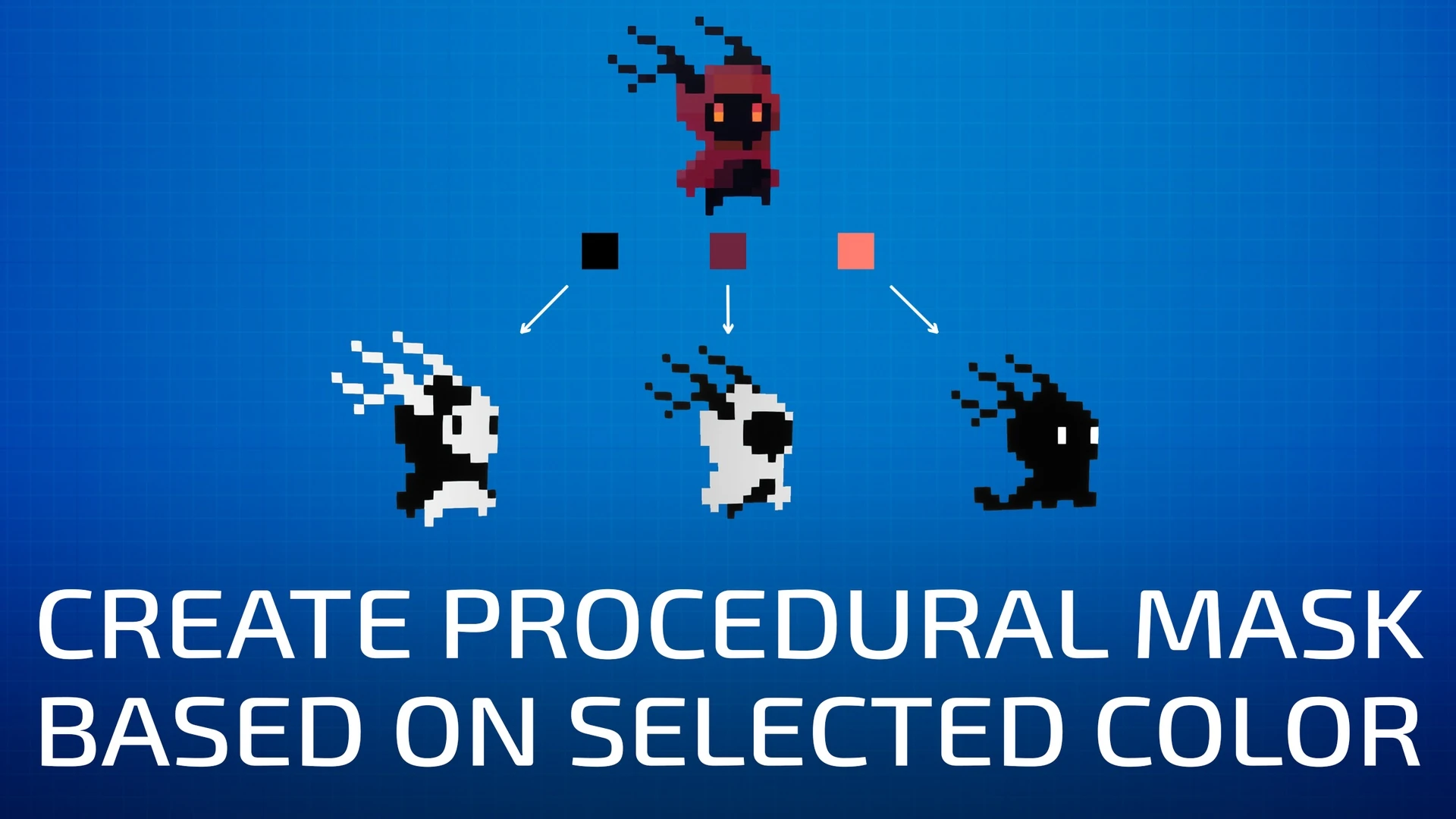
This is my implementation of a chroma key shader that compares colors in the HSV color space, allowing for high-precision color selection. This is useful when you need a clean procedural mask for a specific color. The mask can then be used for customization or to create various visual effects. In the examples, I use the shader to recolor different parts of a character sprite, create shader animations, and perform color correction.
Thank you for your purchase! I hope my product will be useful to you.
If you like it, please consider leaving a ⭐⭐⭐⭐⭐ review. It would help me a lot!
If you have any questions, feel free to ask on the Discord server.
🍀 Good luck with your projects!
Documentation
All information about the shader is available on the information displays in the demo level.
Ideal For
- Procedural Animation Masking
- Virtual Production
- Color Correction
- Complex Shaders
- Visual Effects
- Custom Pipelines
Key Features
- Use any color as a mask
- High color selection accuracy due to comparison in HSV color space
- Quickly prototype ideas and build dynamic materials without manually creating masks
- Quickly cut out objects or remove backgrounds
- Target and animate specific image regions
- Simple Chroma Keying with universal spill suppression
- Multiple masks in a single texture
- RGB ↔ HSV conversion
Material Functions
- Color Mask
- Universal Spill Suppression
- RGB to HSV & HSV to RGB Conversion
Usage Examples
- Basic Setup
- How to Use Mask for Animation
- Universal Chroma Key
- Easy Recolor Animation Pipeline
- Grayscale Gradient Animation
- Color Gradient Animation
- Color Correction
Supported Unreal Engine Versions
| Unreal Engine | 5.0 | 5.1 | 5.2 | 5.3 | 5.4 | 5.5 | 5.6 | 5.7 | 5.8 |
|---|---|---|---|---|---|---|---|---|---|
| Product version | v1.0 | v1.0 | v1.0 | v1.0 | v1.0 | v1.0 | v1.0 | v1.0 | v1.0 |
Changelog
v1.0
- Initial release