Procedural Edge Wear Shader
Description
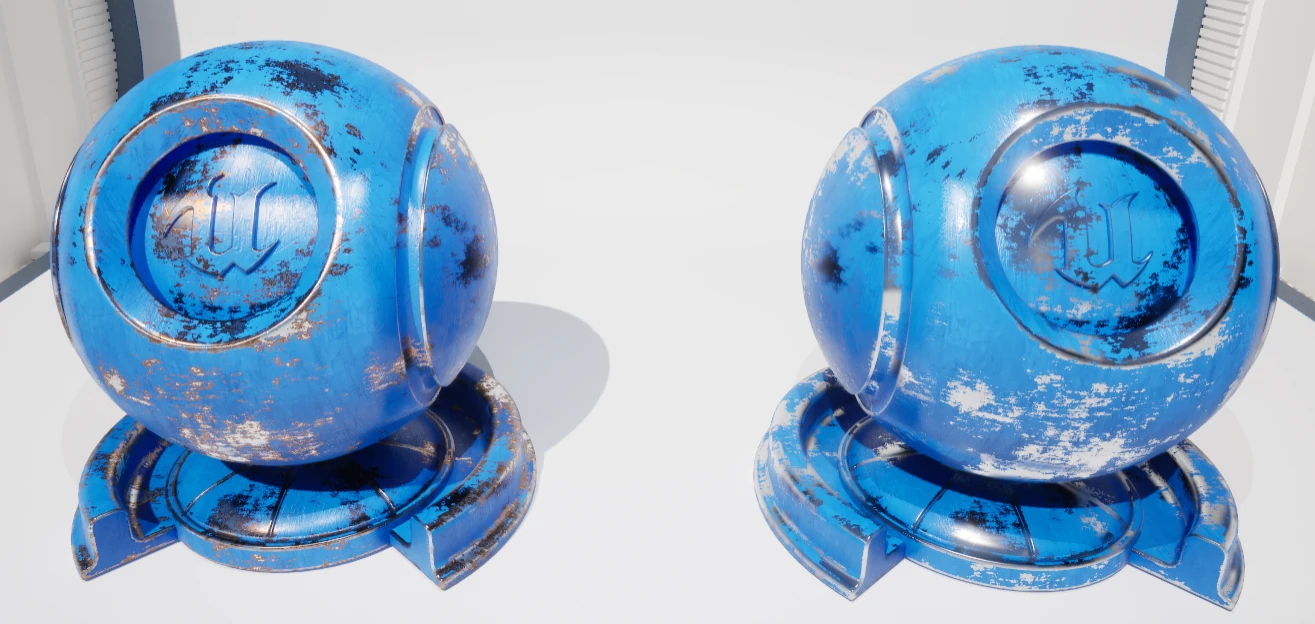
The Procedural Edge Wear Shader detects mesh edges and generates a mask for blending two materials, allowing you to procedurally add edge wear, scratches, dirt, and rust without UV unwrapping or baked textures.
Thank you for your purchase! I hope my product will be useful to you.
If you like it, please consider leaving a ⭐⭐⭐⭐⭐ review. It would help me a lot!
If you have any questions, feel free to ask on the Discord server.
🍀 Good luck with your projects!
Documentation
This documentation describes the parameters of the Edge Wear Shader and their purpose.
The folder ProceduralEdgeWear\Materials contains MM_EdgeWear.
MM_EdgeWear is a master material that you can customize however you wish, or
you can copy pieces of it to improve your own master material.
Remember that all parameter changes must be made in the Material Instance. You can create one by right-clicking the material and selecting the first option.
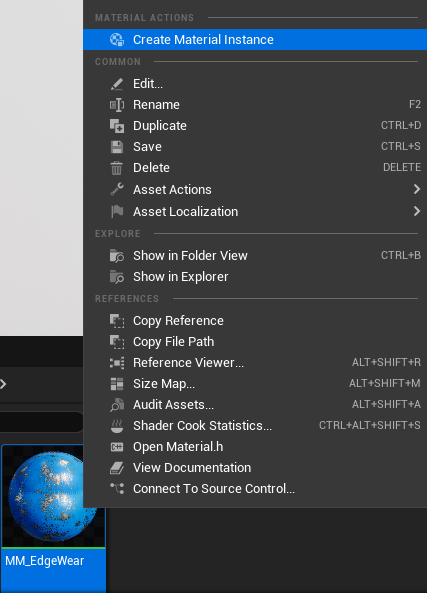
The folder ProceduralEdgeWear\Materials\MaterialInstances contains Material
Instances. Let me explain the purpose of every parameter inside MI_EdgeWear
from top to bottom.
Animation

You may need to animate the material for gameplay, so I've created an example of what that might look like. This is just an example, but you can change my setup to suit your needs.
Base Material
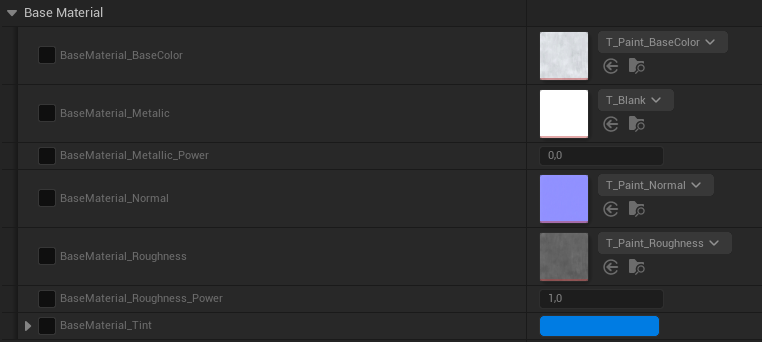
Here you put your initial material. You can adjust Metalness, Roughness and Base Color Tint.
Edge Wear
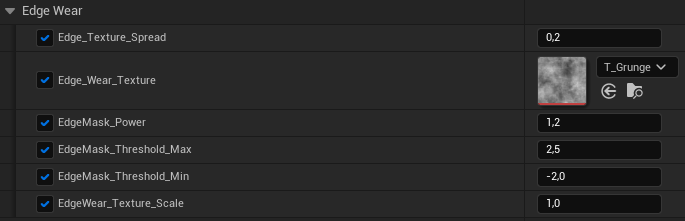
For a good result, the edge wear parameters need to be adjusted for each model.
Texture Spread. If you do not want the edge texture to be applied to the entire model, you can localize it only to the edges using the Edge Texture Spread parameter.
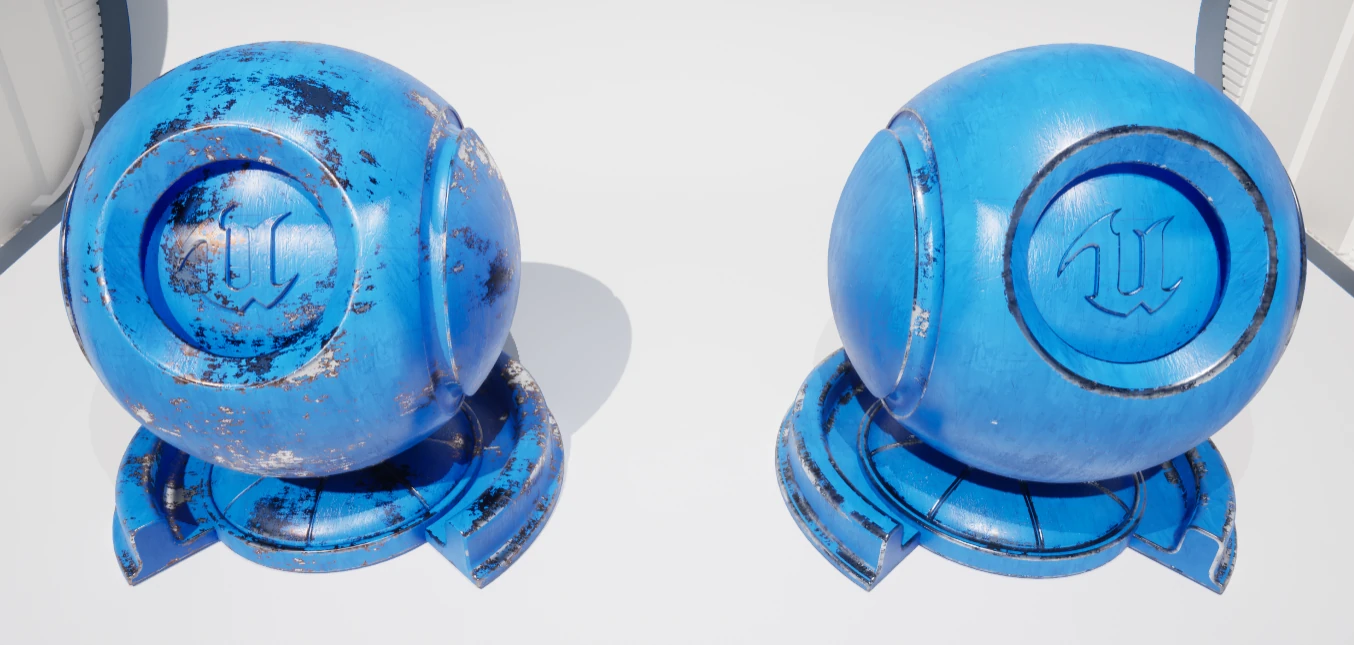
Edge Wear Texture. You can try different textures to get different results.
Edge Mask Power, Threshold Min/Max. You need to adjust these parameters to get a good edge definition. However, this may be a little tricky, because you can get good results on some edges and the others may look off. Try to find a balance.
Edge Wear Texture Scale. Defines the scale of the edge wear texture.
Edge Wear Material
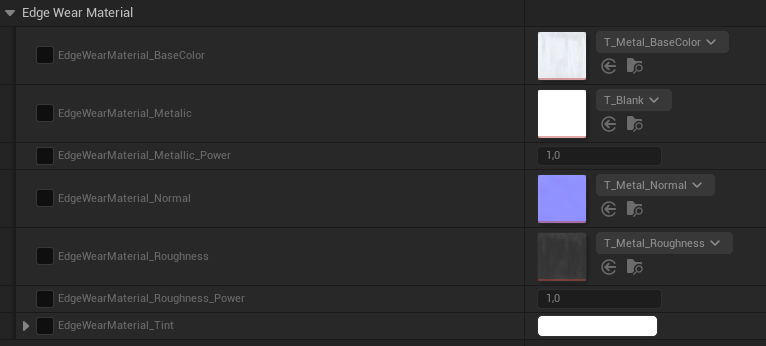
Exactly like base material, but for edge wear. In my example the base material is paint and the edge wear material is metal.
Global Parameters

Overall Normal Intensity. Defines the total intensity of the combined normal maps.
Mapping
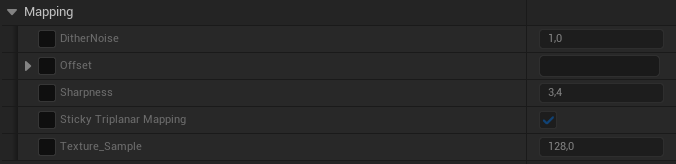
DitherNoise and Offset. I do not recommend changing these parameters because they are used for correct mapping.
Sharpness. Defines the blending sharpness of triplanar mapping.
Sticky Triplanar Mapping. Allows mapping not to redraw when the model is moving or rotating. You can disable it if you want to have some texture variation in the static environment models.
Texture Sample. Texture scaling for every texture that is used in the material.
Rust
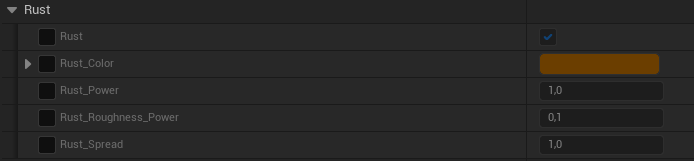
Here you can adjust rust parameters such as color or rust power and rust spread. You can disable all rust with a checkbox.
Scratches
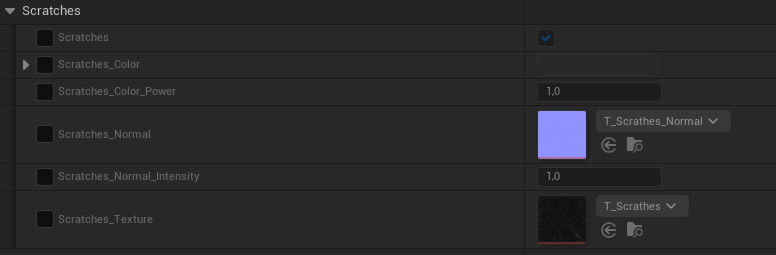
Here you can adjust scratches parameters such as color or scratches power. You can change the scratch texture and normal to a different one. You can also make scratches more or less defined with Scratches Normal Intensity. You can disable all scratches with a checkbox.
Substrate
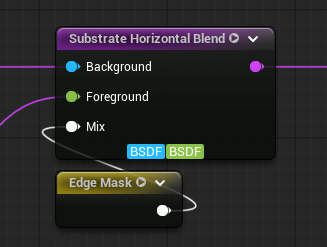
The edge mask can be used to blend two materials using the Substrate Horizontal Blend node.
Nanite
Does it work with Nanite? Yes. But you need to use at least Unreal Engine 5.3 or later, as the older versions of the engine lack many Nanite features and will break the material.
Supported Unreal Engine Versions
| Unreal Engine | 5.0 | 5.1 | 5.2 | 5.3 | 5.4 | 5.5 | 5.6 | 5.7 | 5.8 |
|---|---|---|---|---|---|---|---|---|---|
| Product version | v2.0 | v2.0 | v2.0 | v2.0 | v2.0 | v2.0 | v2.0 | v2.0 | v2.0 |
Changelog
v2.0
- Documentation created
- New improved demo room with more examples
- Video explanation on YouTube
- Unreal Engine 5.6 & 5.7 support
MM_Edge_Wearis fully rewritten from scratchMM_Edge_Wearis now a full-fledged master material- One sample triplanar mapping instead of the usual three samples
- Improved performance
- All material parameters now divided into groups
v1.0
- Initial release