Surface Frost
Development preview. Surface Frost is not yet released on Fab.
Surface Frost is a material function library for snow coverage, frosted surfaces, glazed ice, and visual thaw transitions. It changes the appearance of an existing surface without adding geometry or simulating temperature.
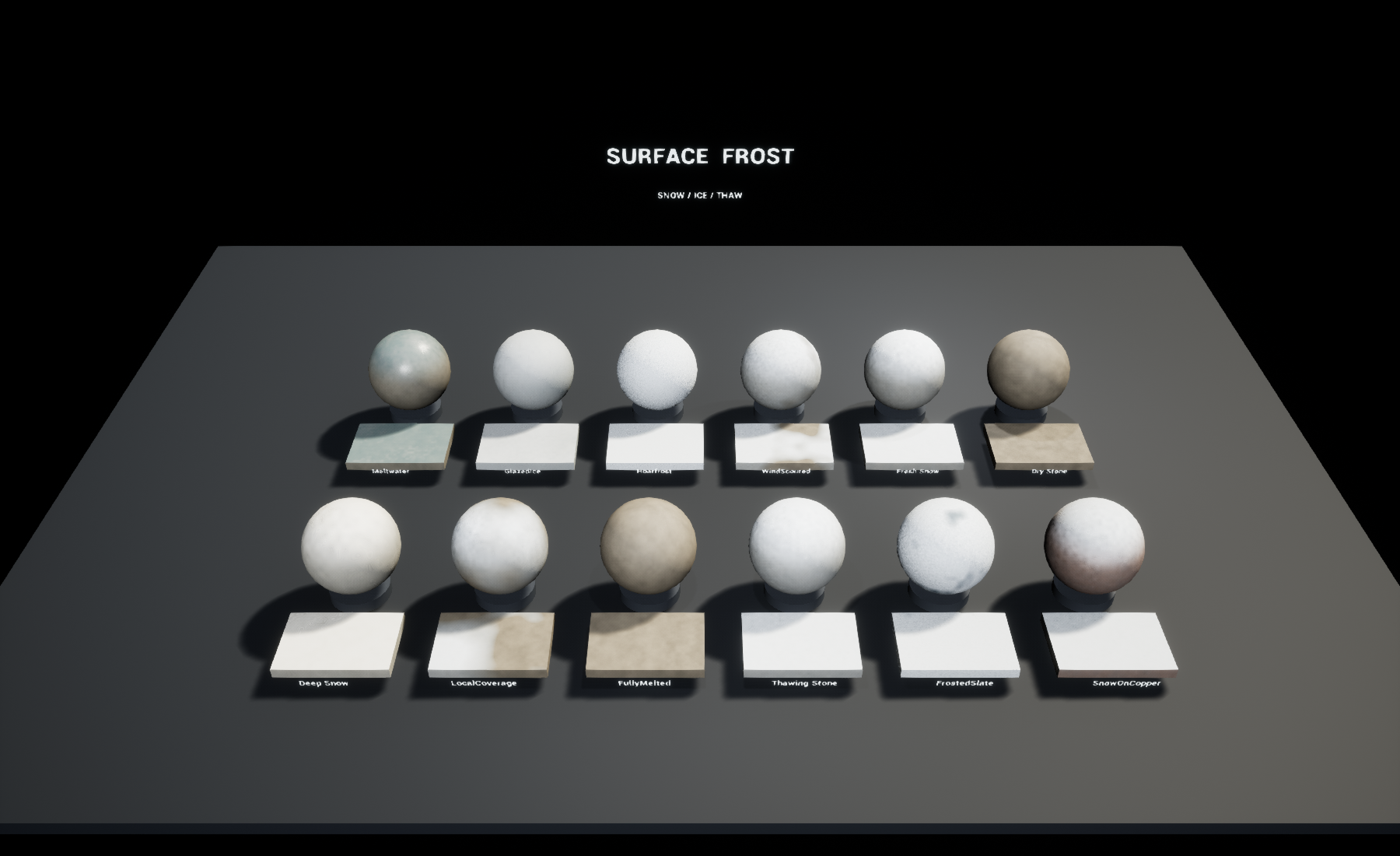
Native Unreal Engine 5.0.3 capture of the included overview.
First result
- Open the included
SurfaceFrost.uprojectin Unreal Engine 5.0.3. - Open
SurfaceFrost/Maps/L_Overviewto compare the twelve presets. - Apply
MI_FreshSnow,MI_Hoarfrost, orMI_GlazedIceto a static mesh. - Duplicate the instance before editing. Adjust Amount, SlopeBias, and Transition in the instance editor.
The overview uses a fixed camera in Play mode and shows the mouse cursor. No project Action Mappings are required. Use the normal editor viewport to inspect individual examples.
Add frost to your material
The functions are in SurfaceFrost/Materials/Functions:
| Function | Purpose |
|---|---|
MF_SurfaceFrost_Mask | Produces snow, ice, meltwater, and crystal-noise masks. |
MF_SurfaceFrost_Apply | Applies the surface states to incoming Material Attributes. |
Pass your Material Attributes to the Apply function's Base input. Connect the Mask outputs SnowMask, IceMask, MeltMask, and CrystalNoise to the matching Apply inputs. Connect Result to the material's Material Attributes input. Use Break Material Attributes if your master uses individual material pins.
The Apply helper changes base color, roughness, metallic, specular, and normal detail while preserving the other standard UE 5.0 material attributes. When all three coverage masks are zero, the incoming attributes pass through unchanged. The included master is an opaque, Default Lit example using tangent-space normals.
Coverage and thaw controls
| Input | Meaning |
|---|---|
| Amount | Coverage driver from 0 to 1. Zero removes all effects. |
| LocalMask | Multiplies Amount. Connect a texture or vertex-color channel for local painting. The sample master uses a scalar. |
| Transition | Visual thaw progress from 0 to 1: snow gives way to ice and wet shading, then returns to the base surface. |
| WorldScale | Approximate world-space patch size in centimeters; values below 1 are clamped. |
| Rotation | Rotates the coverage field around world Z, in degrees. |
| Patchiness | Controls variation in the coverage threshold. |
| SlopeBias | Restricts coverage toward upward-facing surfaces. Zero allows frost coverage on all orientations. |
| Position | Sampling coordinates; defaults to world position. |
| GeometricNormal | World-space surface orientation; defaults to vertex normal. |
Animate Transition yourself with a dynamic material instance or Sequencer. The material does not keep a temperature history, simulate snow mass, or automatically advance time. A value of 1 returns to the uncoated base surface.
Surface response
SnowTint colors the snow layer. IceTint colors the opaque ice-like coating. DetailStrength controls the procedural crystal normal detail. Snow has a rough diffuse response; ice and melt regions have lower roughness. The masks can also drive your own material blends instead of the included Apply helper.
The sample master exposes BaseColor, BaseRoughness, BaseMetallic, and BaseGrain for its procedural substrate. Replace the example substrate with your existing material when integrating the functions.
Included examples
Dry Stone, Fresh Snow, Wind Scoured, Hoarfrost, Glazed Ice, Meltwater, Snow on Copper, Frosted Slate, Thawing Stone, Fully Melted, Local Coverage, and Deep Snow. Deep Snow describes the shading preset; it does not add snow depth.
Migration and limits
Migrate the SurfaceFrost folder using Unreal's Content Browser Migrate
action. Preserve the folder name. No other Surface Tools product is required.
- Authored and visually checked in Unreal Engine 5.0.3. The archive also passed asset loading and a Windows SM5 cook in 5.8.2. Demo startup was checked in 5.0.3; other versions and mobile, VR, and consoles remain untested.
- Coverage uses world-space sampling and remains stationary when a mesh moves. Connect alternative Position coordinates if needed.
- This is surface shading: there is no thickness, silhouette change, snow displacement, footprints, falling snow, physical freezing, or fluid simulation.
- The ice example is opaque. It does not provide transparent ice, volume absorption, or refraction.
- The Apply helper expects tangent-space normals. Adapt it for a world-space normal material or a different shading model.
- Lighting strongly affects ice readability. Test in the intended scene.
- No performance budget is claimed; profile on your target hardware.