SurfaceScorch
Development preview — not yet released on Fab.
SurfaceScorch adds char, soot and heat discoloration to static surfaces. Separate masks let you control each effect or use the supplied Material Attributes blend. The procedural patterns require no texture maps or UV unwrapping.
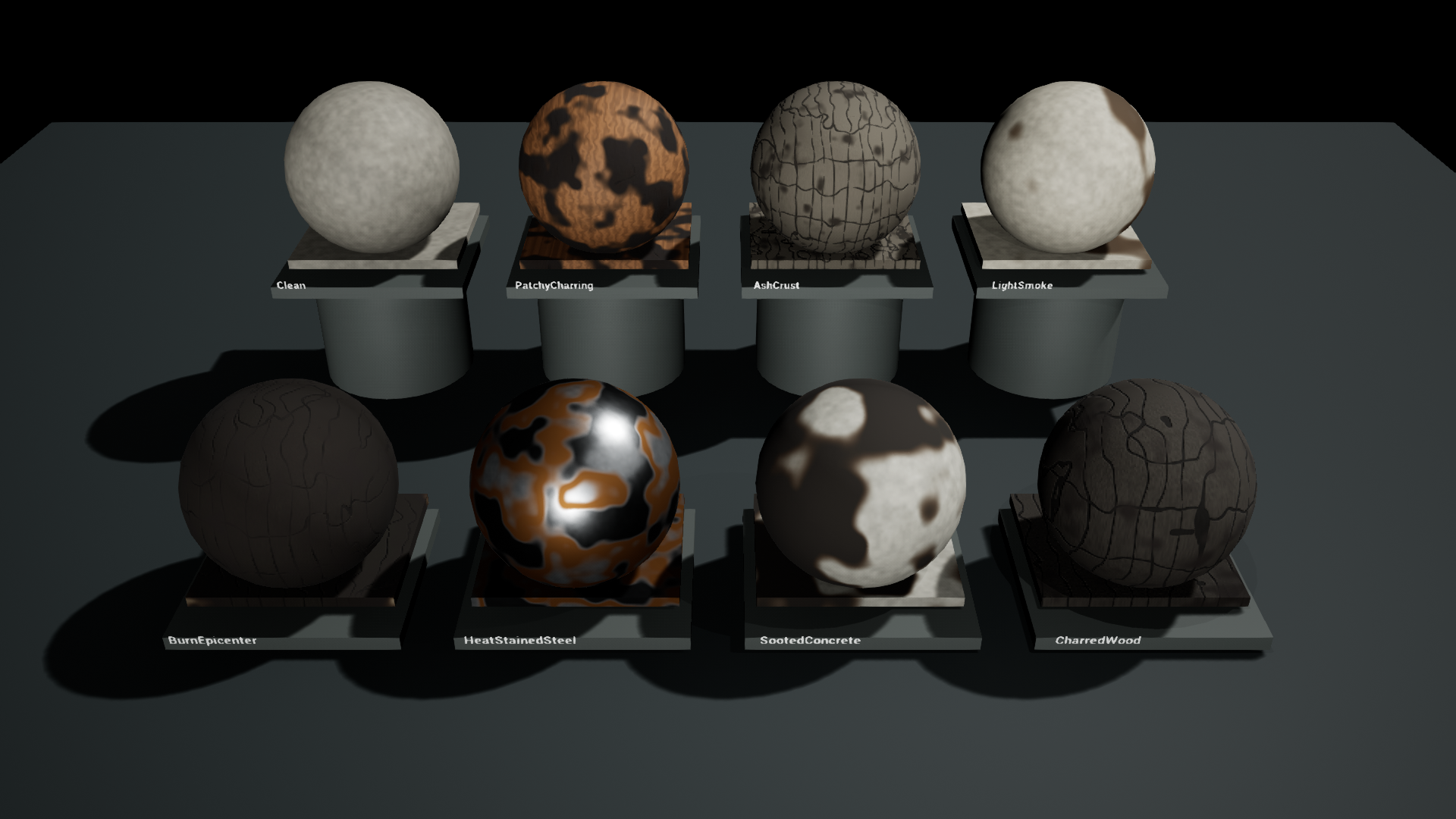
Native examples
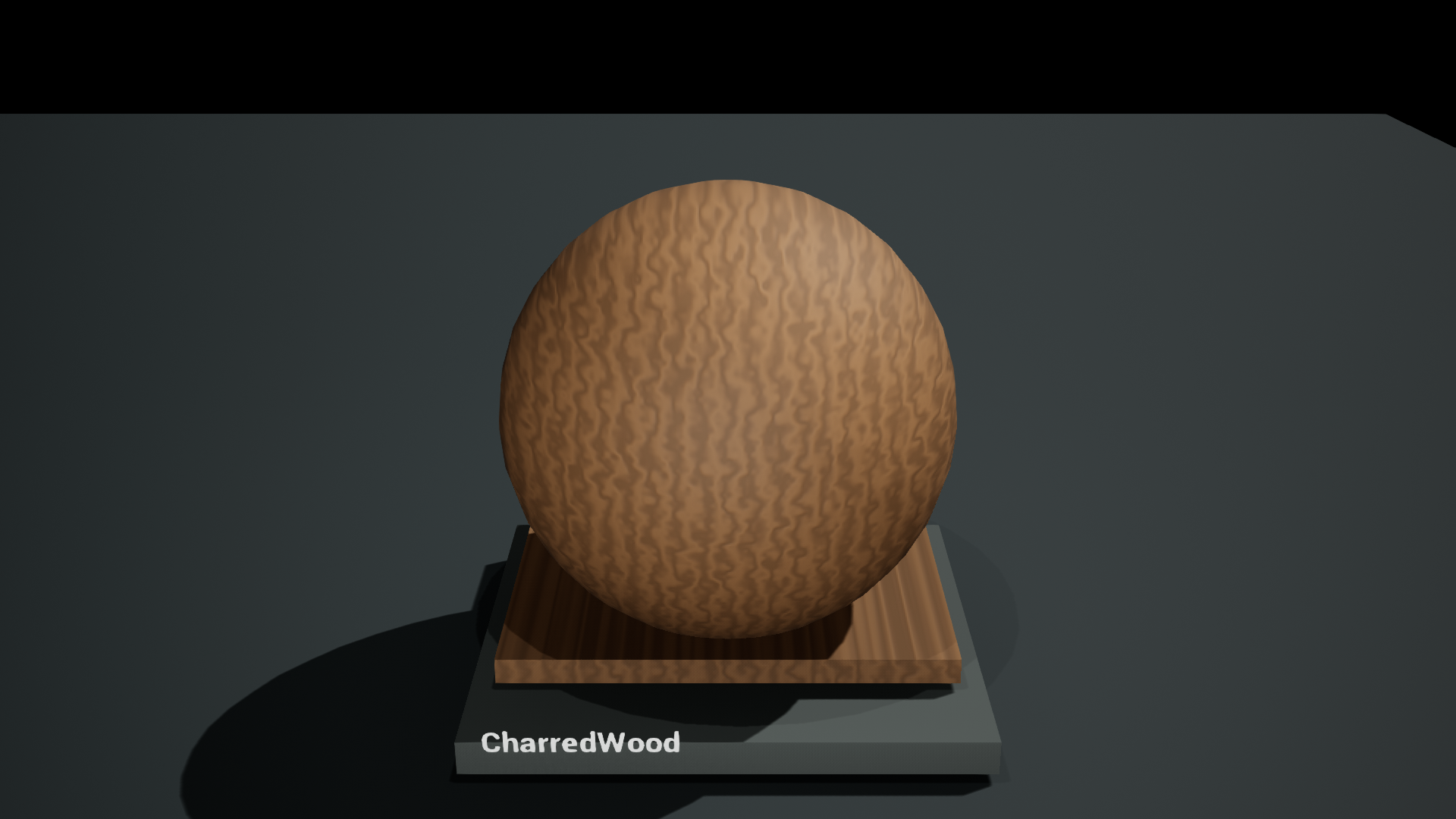
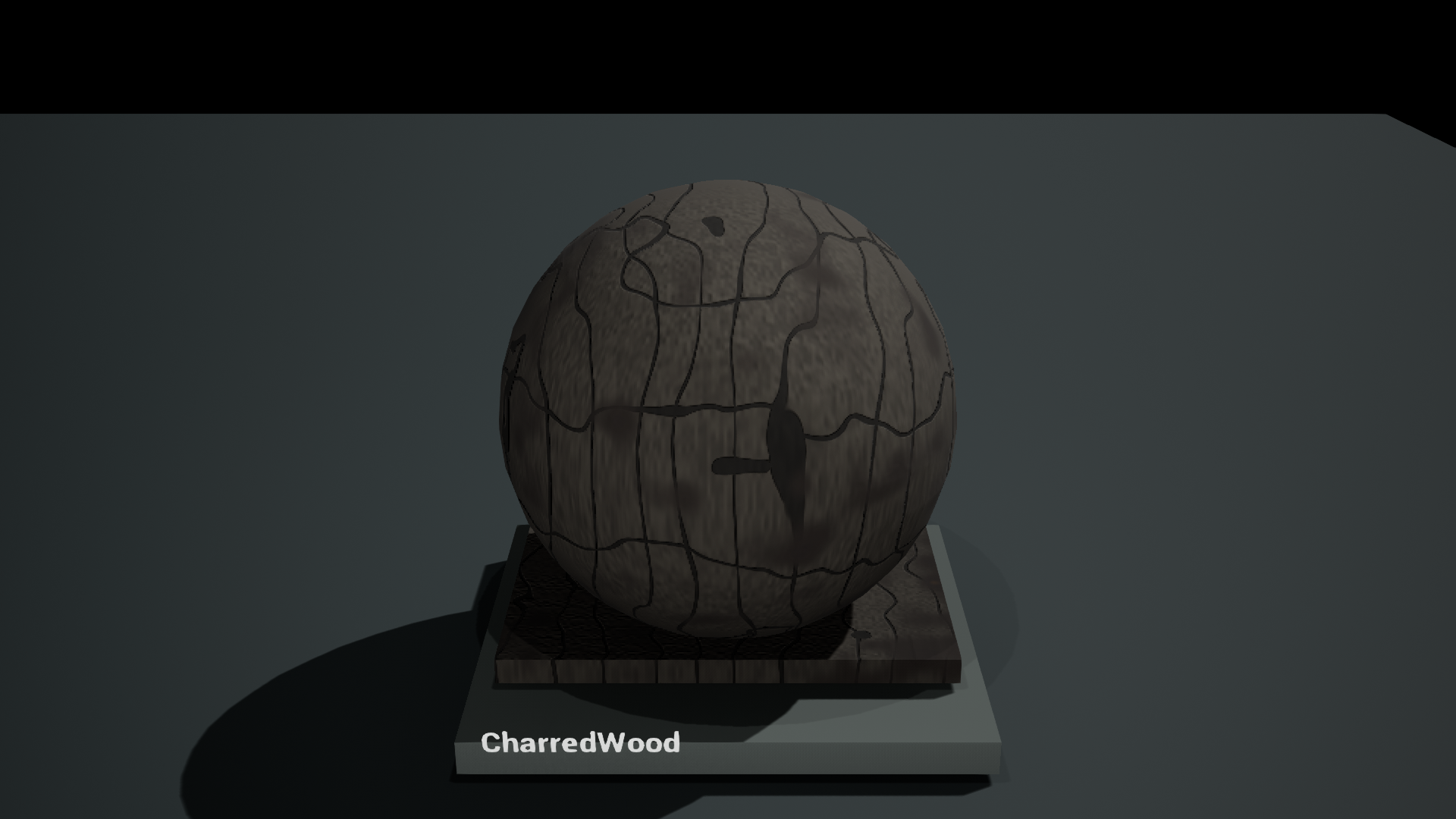
The same camera, lighting and base material with Intensity set to zero and one:
| Original surface | Charred Wood |
|---|---|
 |  |
Quick start
- Open
SurfaceScorch.uprojectin Unreal Engine 5.0.3. - Open
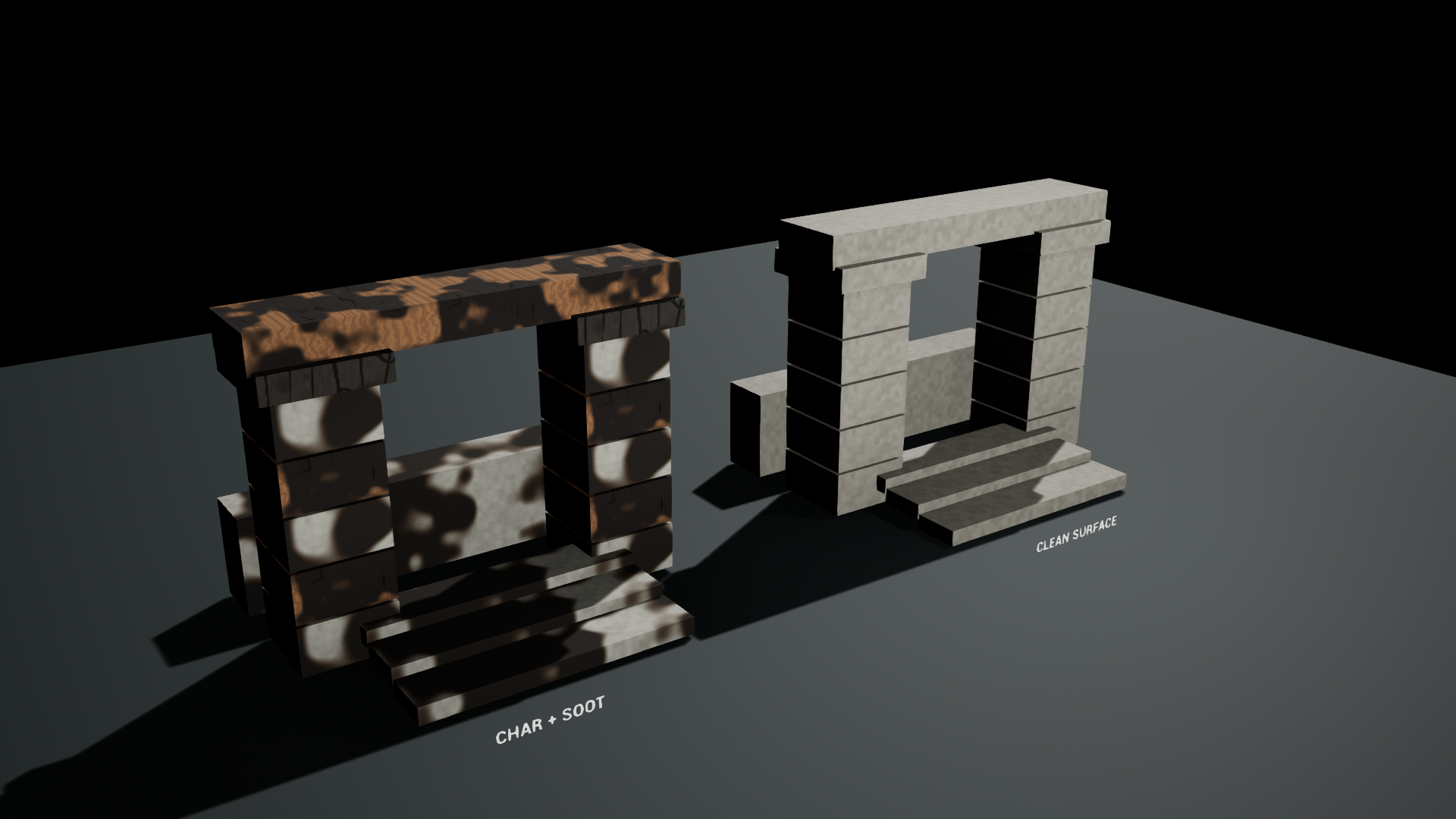
SurfaceScorch/Maps/L_Overviewto compare the eight presets. UseL_Closeupfor detail andL_Environmentfor clean and conditioned architecture. - Duplicate a material instance from
SurfaceScorch/Materials/Presetsand assign it to a static mesh. - Adjust Coverage, Progression and Scale. Use Soot and Char to balance the two layers.
The demo opens with a fixed camera and a visible mouse cursor. There is no First Person or ActionMappings dependency; inspect other angles in the editor viewport.
Presets
| Preset | Use |
|---|---|
| CharredWood | Dark char with a procedural timber substrate |
| SootedConcrete | Soot deposits over a stone-like substrate |
| HeatStainedSteel | Warm discoloration over a metallic base |
| BurnEpicenter | A localized radial effect centered on the object's bounds |
| LightSmoke | Lighter smoke staining |
| AshCrust | Pale char/ash appearance with shading relief |
| PatchyCharring | Broken-up damage with exposed base material |
| Clean | Effect disabled |
Use with your material
- Add
MF_SurfaceScorch_MaskfromSurfaceScorch/Materials/Functions. - Connect mapping coordinates in centimeters to Position. The example master uses Absolute World Position minus Object Position. For a hotspot shared by several meshes, subtract the same world-space hotspot position instead.
- Connect a scalar or grayscale mask to AuthoredMask for local placement. White allows the effect; black excludes it.
- Add
MF_SurfaceScorch_Apply, connecting your original Material Attributes to Base Material. - Connect Char Mask, Soot Mask, Heat Mask and Char Detail to the matching Apply inputs. Set the colors, roughness and relief, then connect the resulting attributes to your material.
The Apply function layers heat discoloration, soot and char in that order. Setting Intensity = 0 zeros the masks and preserves the incoming material. You can use the separate masks in your own blends instead.
Controls
| Control | Meaning |
|---|---|
| Intensity | Overall effect strength, 0–1 |
| AuthoredMask | Additional scalar or grayscale placement mask |
| Vertex Mask Influence | In the supplied master, 0 ignores vertex paint; 1 uses vertex color red |
| Coverage | Distribution of affected areas |
| Progression | Artistic damage progression, not elapsed physical time |
| Scale | Procedural pattern scale in centimeters |
| Rotation | Rotation around mapping Z, in degrees |
| Seed | Pattern variation |
| Localized | Blend from distributed damage to a radial hotspot |
| Radius | Radial hotspot size in centimeters |
| Soot / Char | Independent soot and char contributions |
| Char Color / Soot Color / Heat Color | Layer colors |
| Surface Roughness | Char-layer roughness; soot and heat use separate fixed roughness values |
| Relief Strength | Char shading relief without vertex displacement |
The example master includes optional procedural substrate controls: Base Color, Base Roughness, Base Metallic, Base Scale, Base Grain and Base Relief. They are separate from the reusable functions.
Migration
Migrate the entire SurfaceScorch Content folder into the destination project's Content directory. Keep the root folder name. No other Surface Tools package is required. Release content uses no runtime plugin; Python and Editor Scripting Utilities are authoring tools only and are disabled in the release project.
Scope and limits
This is a visual surface treatment. It does not simulate flame, heat transfer, combustion, material loss, mesh destruction or ash particles. Heat discoloration is an artistic color layer; it is not a physically measured thin-film model.
The example hotspot is centered on each object's bounds. Supply shared coordinates to the mask function for a hotspot that crosses multiple objects. Coordinate scale and object placement affect the result. Very fine patterns can alias with distance. Profile the procedural shader cost in the destination scene; no universal performance claim is made.
The functions use pixel derivatives for filtering and relief. Do not connect their masks directly to World Position Offset. Apply preserves incoming vertex attributes, but animated geometry needs separate testing.
The development baseline is Unreal Engine 5.0.3 on Windows, DirectX 11, including native captures and a packaged demo launch. The same content archive also passed native loading and Windows cook in UE 5.8.2; rendering in 5.8.2 has not been inspected. Other versions, mobile, VR, translucent materials, landscape and animated geometry need separate testing. The examples use opaque Default Lit static meshes.
The example master measured 1603 pixel-shader instructions in UE 5.0.3 / SM5. It uses procedural math; profile your final material and target hardware. This measurement is not a frame-rate guarantee or a mobile performance claim.
Included content
Two material functions, one example master, eight material instances, two demo materials, three demo meshes, two demo Blueprints and three maps. No texture maps are included. Epic BasicShapes are supporting example geometry under Demo.